Key Differences between BIM and Traditional CAD

In the world of architecture, engineering, and construction, two powerful tools shape how we design buildings: Building Information Modeling (BIM) and Computer-Aided Design (CAD). While both help create drawings and plans, they work quite differently and bring unique benefits. Understanding the differences between BIM and Traditional CAD is essential for architects, engineers, and designers who want to choose the right approach for their projects and ensure efficiency, accuracy, and collaboration.
What is Traditional CAD?
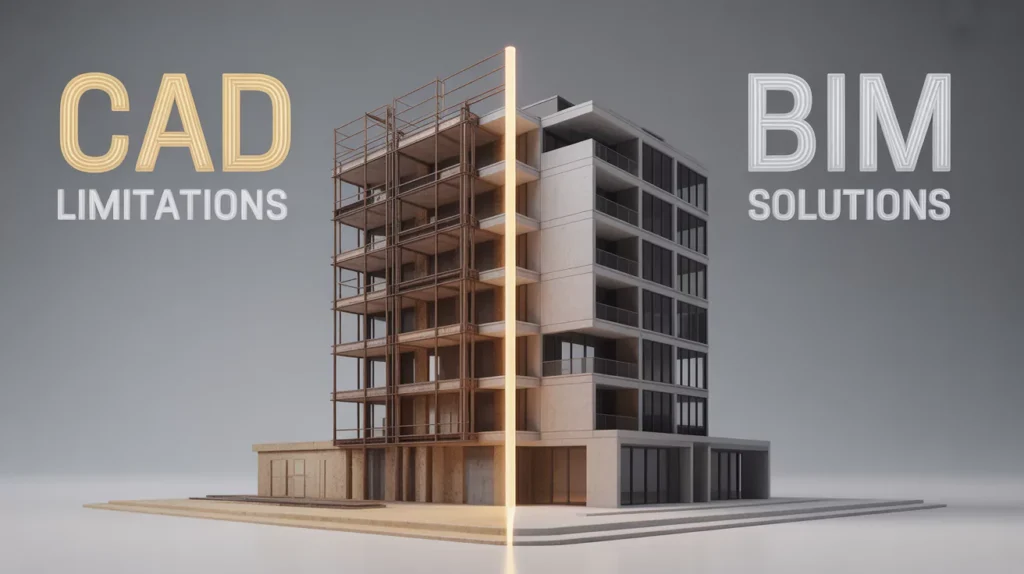
Traditional CAD is software used to create precise 2D and 3D drawings. It allows architects to draft plans, sections, elevations, and detailed layouts. CAD focuses mainly on geometric shapes and lines to represent a building’s design. It’s been the industry standard for decades and is ideal for producing technical drawings with accuracy.

However, CAD files usually exist as separate drawings, which means collaboration and data sharing between teams can be a challenge. Changes in one drawing need manual updating across others, which can cause errors and delays.
Read also: Can BIM Help Preserve the Past? Applications of BIM in Heritage Conservation
What is BIM?
Building Information Modeling (BIM) is more than just drawing software. It is a digital process that creates intelligent 3D models loaded with detailed information about every element in a building. These models not only show shapes and dimensions but also include data like materials, costs, timelines, and maintenance schedules.
| Aspect | BIM | Traditional CAD |
| Model Type | Data-rich 3D models with embedded information | Mainly 2D or simple 3D geometric drawings |
| Collaboration | Real-time multi-disciplinary collaboration | Limited to separate drawing files |
| Data Integration | Includes materials, costs, schedules, and more | Focused mostly on geometry and shapes |
| Update Process | Automatic updates across all linked components | Manual updates needed for each drawing |
| Project Scope | Covers full building lifecycle | Focuses mostly on design phase |
| Error Detection | Automated clash detection to prevent conflicts | Errors found mostly during construction phase |
| Visualization | Interactive 3D with 4D (time) and 5D (cost) | Static 2D or 3D views |
| Efficiency | Higher efficiency through integrated workflows | Potential inefficiencies due to file silos |
Read also: From Blueprints to Algorithms: The Future of BIM, CAD, and Computational Architecture
BIM enables architects, engineers, and contractors to work on a shared model simultaneously, improving collaboration and reducing mistakes. It covers the entire building lifecycle—from design and construction to operation and renovation.
Key Differences at a Glance
Why BIM is Changing the Game
BIM’s ability to combine design visuals with rich data means architects can simulate how buildings perform before construction starts. This leads to better designs, fewer costly mistakes, and faster approvals. BIM also supports sustainable building practices by analyzing energy use and material impacts.
On the other hand, while CAD is excellent for detailed drafting, it often lacks the integrated workflow that modern, complex projects demand. BIM’s collaborative platform breaks down barriers between teams, making it easier to coordinate architectural, structural, and mechanical designs.
When to Use CAD or BIM
- Use CAD if your project requires detailed 2D drawings or if you are working on smaller or simpler projects without many collaborators.
- Choose BIM for larger, complex projects needing collaboration across disciplines, lifecycle management, and advanced visualization.
CAD helped shape modern architectural design with precision drawing. But BIM is pushing the boundaries further by integrating design, data, and teamwork in a single platform. For architects and builders aiming for efficient, high-quality, and cost-effective projects, BIM represents the future—a smarter way to design, build, and manage structures.